
Posts
Total 15

2019-08-05 07:04
Hi, I recently downloaded Chupashite Ageru ~Sports Club no Onee-san
the developer is Atelier Kaguya, I installed it fine and but the Alpha translator can't figure out step 6 with the AGTH Shortcut step plz help ASAP., I rly like the visual novels from Atelier Kaguya, is the Alpha translator compatible with those visual novels from Atelier Kaguya? Are the Atelier Kaguya Visual Novels Compatible with the translation tools? please respond ASAP
the developer is Atelier Kaguya, I installed it fine and but the Alpha translator can't figure out step 6 with the AGTH Shortcut step plz help ASAP., I rly like the visual novels from Atelier Kaguya, is the Alpha translator compatible with those visual novels from Atelier Kaguya? Are the Atelier Kaguya Visual Novels Compatible with the translation tools? please respond ASAP
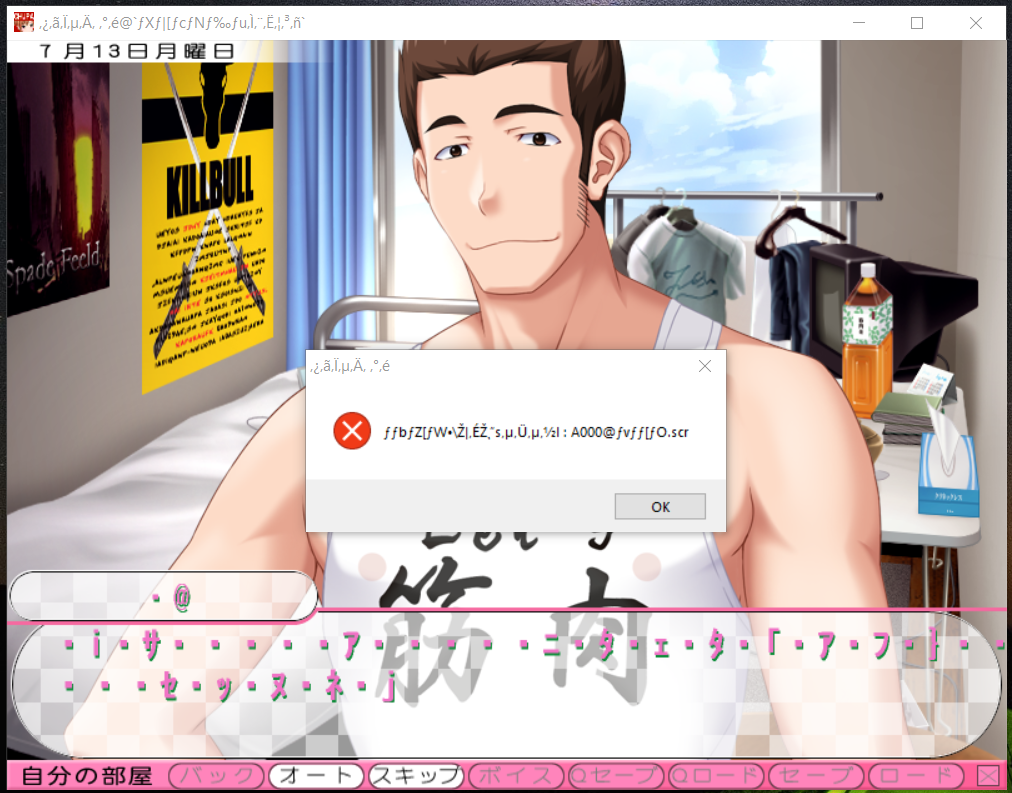

Hello,
The text doesn't display properly so there will be a problem while catching the words.
You have to choose one of the solution below:
#1 Set your Windows to japanese locale:
https://www.h-suki.com/tutoriels/windows-jp.html" target="_blank" title="https://www.h-suki.com/tutoriels/windows-jp.html">https://www.h-suki.com/tutoriels/windows-jp.html">https://www.h-suki.com/tutoriels/windows-jp.html">https://www.h-suki.com/tutoriels/windows-jp.html
#2 Use locale emulator:
https://www.h-suki.com/tutoriels/app-jp.html#localemu" target="_blank" title="https://www.h-suki.com/tutoriels/app-jp.html#localemu">https://www.h-suki.com/tutoriels/app-jp.html#localemu">https://www.h-suki.com/tutoriels/app-jp.html#localemu">https://www.h-suki.com/tutoriels/app-jp.html#localemu
The text doesn't display properly so there will be a problem while catching the words.
You have to choose one of the solution below:
#1 Set your Windows to japanese locale:
#2 Use locale emulator:
2019-08-06 01:46
Hi thank you for responding, I have done the thing to switch to Japanese locale, now only part I am stuck on is the Step 4: Creating the AGTH folder: Just copy the agth folder to the root of your c: drive.
The software will therefore be accessible via the line:
C: \ agth \ agth.exe
Like I am new as this using translator stuff and idk where to go to find root of my c:drive
also I reinstalled the visual novel now the texts are normal just the agth step 4.
Also I tried the ITH and the guide did the steps perfectly and it keep saying Failed to attach ITH to process. Am I miss a certain step or way to try translate it or something?
The software will therefore be accessible via the line:
C: \ agth \ agth.exe
Like I am new as this using translator stuff and idk where to go to find root of my c:drive
also I reinstalled the visual novel now the texts are normal just the agth step 4.
Also I tried the ITH and the guide did the steps perfectly and it keep saying Failed to attach ITH to process. Am I miss a certain step or way to try translate it or something?
Hello,
Sorry for my late reply, I have some issue with my computer and I couldn't test this game with agth/ith until now.
So I can tell I have the same issues, ith and agth don't work for this game (at least on my build with windows 10).
But I found an alternative, this tool is called Textractor.
You can download it there :
Github info ->https://github.com/Artikash/Textractor" target="_blank" title="https://github.com/Artikash/Textractor">https://github.com/Artikash/Textractor">https://github.com/Artikash/Textractor">https://github.com/Artikash/Textractor
Github release ->https://github.com/Artikash/Textractor/releases" target="_blank" title="https://github.com/Artikash/Textractor/releases">https://github.com/Artikash/Textractor/releases">https://github.com/Artikash/Textractor/releases">https://github.com/Artikash/Textractor/releases
Unzip the tool, select the x86 folder and run the file Textractor.exe, the x64 didn't work for this game.
You can select to attach the process or you can launch the game from this app.
When the game is running, you'll see a lot of text process in the dropdown menu.
The one that catches the text for me was the last process named Atelier Kaguya.
Nice tool.
Sorry for my late reply, I have some issue with my computer and I couldn't test this game with agth/ith until now.
So I can tell I have the same issues, ith and agth don't work for this game (at least on my build with windows 10).
But I found an alternative, this tool is called Textractor.
You can download it there :
Github info ->
Github release ->
Unzip the tool, select the x86 folder and run the file Textractor.exe, the x64 didn't work for this game.
You can select to attach the process or you can launch the game from this app.
When the game is running, you'll see a lot of text process in the dropdown menu.
The one that catches the text for me was the last process named Atelier Kaguya.
Nice tool.
2019-08-11 05:40
Hi thanks for the reply, well I have tried the tool you recommended me to try the Textractor tool and it works perfectly fine, thank you for that also I do plan to play the other visual novels from the same Developer. Btw I also downloaded two more visual novels from the same developer which are Shabura ♥ Rental ~Ecchi na Onee-san to no Eroero Rental Obenkyou and Wagamama Milk DE Shite Ageru ~Ecchi na Oneesan-tachi to no Dopyudopyu Homu Share Seikatsu, the Shabura Rental installation is 100% fine but doesnt want to start the program and as for the Wagamama Milk is same thing but I get error messages on that one
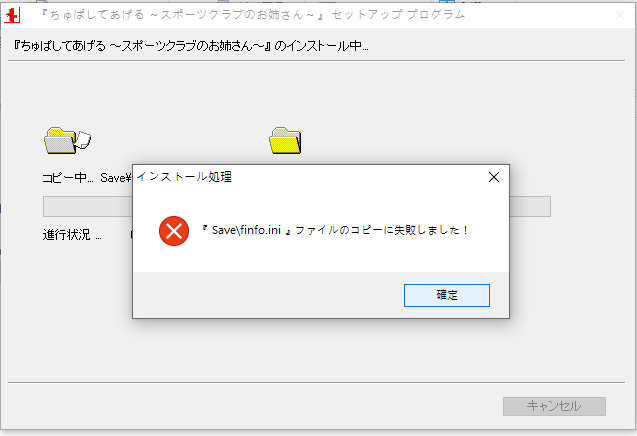
Hello Ren2495,
Did you try to run the setup.exe as an admin ?
Right-click on the file setup.exe > Run as admin
And please install the game in a folder like C:\games and not Program files, if that's the case for this game.
Did you try to run the setup.exe as an admin ?
Right-click on the file setup.exe > Run as admin
And please install the game in a folder like C:\games and not Program files, if that's the case for this game.
Hello,
I have retested the game today and everything went fine on my side.
I have updated the info of the basics page tutorial, with the required stuff and at the bottom of this page the settings I'm using on my computer to test the games.
Please read this link:
https://www.h-suki.com/hswiki/doku.php?id=t_basics" target="_blank" title="https://www.h-suki.com/hswiki/doku.php?id=t_basics">https://www.h-suki.com/hswiki/doku.php?id=t_basics">https://www.h-suki.com/hswiki/doku.php?id=t_basics">https://www.h-suki.com/hswiki/doku.php?id=t_basics
I have retested the game today and everything went fine on my side.
I have updated the info of the basics page tutorial, with the required stuff and at the bottom of this page the settings I'm using on my computer to test the games.
Please read this link:
Hi, so I ran the game after following the instructions. Am I doing something wrong?
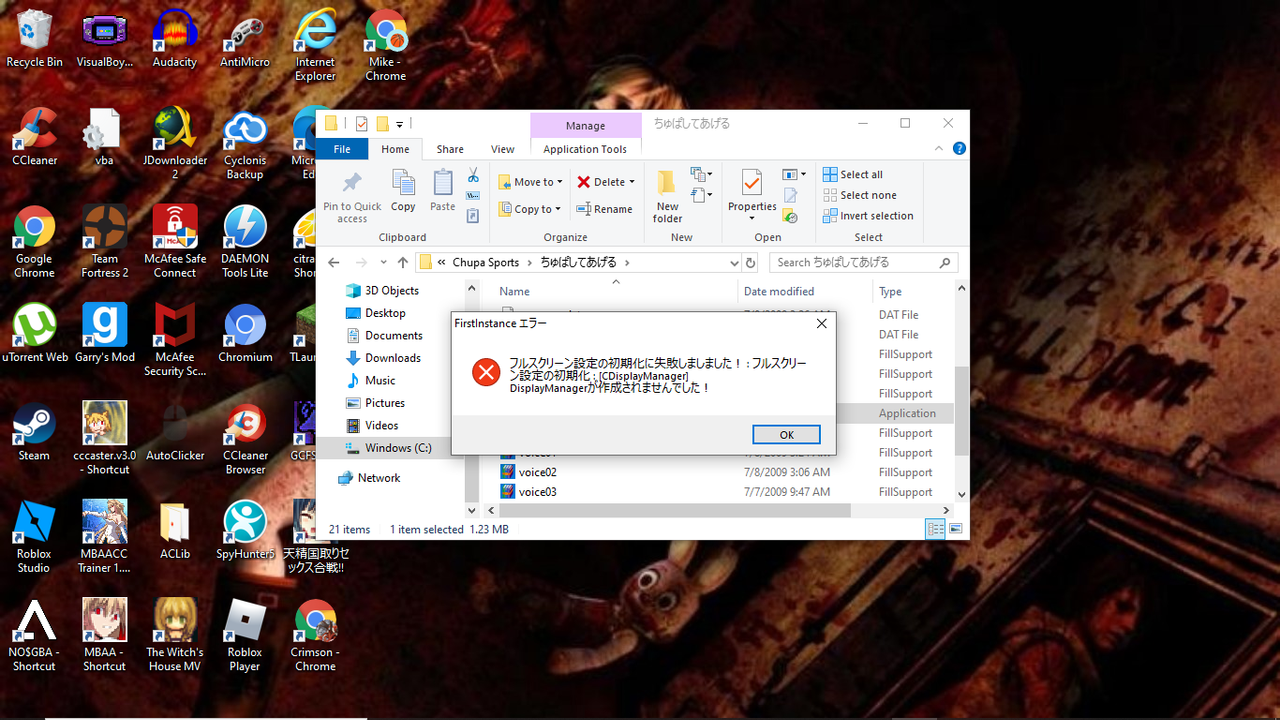
Hello,
I didn't manage to reproduce your error.
Is the directx9 library installed? (folder directx from the disc of the game)
Basic settings on my side / W10 japanese mode + clock set to japanese
I didn't manage to reproduce your error.
Is the directx9 library installed? (folder directx from the disc of the game)
Basic settings on my side / W10 japanese mode + clock set to japanese
Hey, thanks for replying. I tried reinstalling Directx9 from the folder and I made sure the settings were all Japanese, but I still keep getting that error.
I'm getting this error
Windows 10 with locale and clock set to japanese
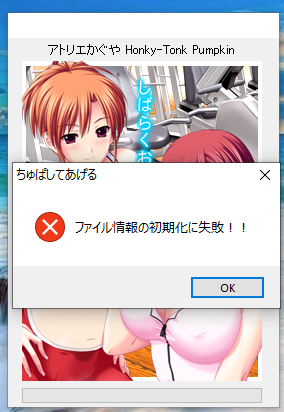
Hello,
The message seems to mention an error with the configuration of the game.
The game has been retested under Windows10 without having this error, so there may be something missing on your pc.
Have you installed DirectX 9 and Visual C++ libraries?
https://www.h-suki.com/hswiki/doku.php?id=t_basics" target="_blank" title="link" rel="nofollow">https://www.h-suki.com/hswiki/doku.php?id=t_basics
The game is installed in a simple folder, like C:\Eroge ? or something like C:\Program files\.... ?
Have you tried to run the exe file as an admin (right-click on it > Run as admin)
The message seems to mention an error with the configuration of the game.
The game has been retested under Windows10 without having this error, so there may be something missing on your pc.
Have you installed DirectX 9 and Visual C++ libraries?
https://www.h-suki.com/hswiki/doku.php?id=t_basics" target="_blank" title="link" rel="nofollow">https://www.h-suki.com/hswiki/doku.php?id=t_basics
The game is installed in a simple folder, like C:\Eroge ? or something like C:\Program files\.... ?
Have you tried to run the exe file as an admin (right-click on it > Run as admin)