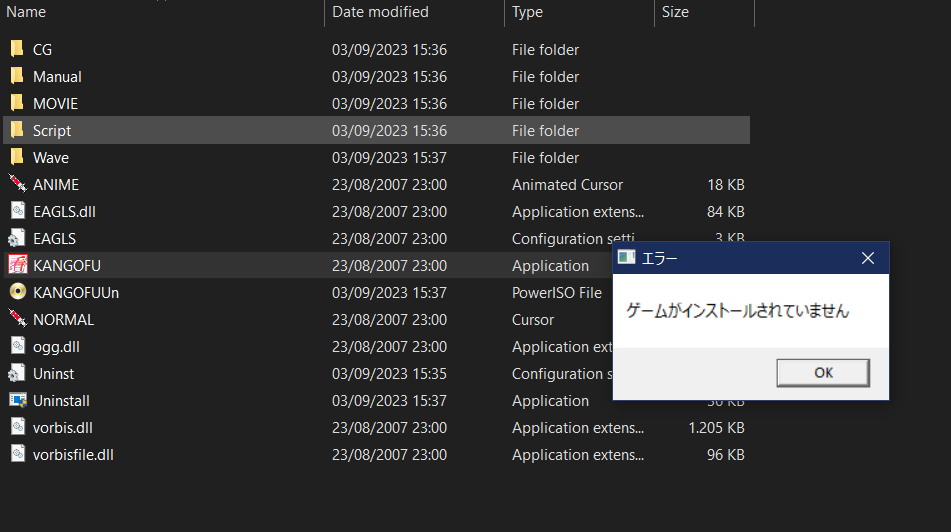
I have installed the game according to the instructions, have already set the locale to Japanese beforehand.
However, when I try to run the game I get the following error in the picture: I can speak decent Japanese so I tried searching Japanese sites, but there were no helpful results at all.
My PC has Windows 10.
Thank you!
Hello everyone, I have managed to find a solution to the problem. Follow these steps:
1. (Optional) If you have already installed the game, delete the folder completely. If you want to be extra careful, you can re-download the zip file from Hsuki.
2. Follow the instructions from "readme.txt" exactly, and install in C:/Eroge NOT in any other places.
Seems like this is one of the old games where you have to install in C:/ else it will not launch or even install properly. Even after installing, DO NOT move the folder.