
Posts
Total 2

Umm help please :<
I just downloaded Toriko No Kizuna and have used daemon to extract the disc to ISO file.
Second step:
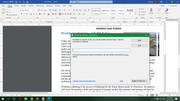
It says to run the setup.exe but it needs a serial number or something as i have linked the image above
I am not sure if I have mount correctly as it was previously a disc and I mounted the whole file which was directly downloaded from H-suki. Afterwards, I clicked into the file and the disc has then become ISO

Hello,
Did you use Daemon tools or Windows 10 explorer to mount the iso file (this will create a disc drive, where you can run the setup.Exe)
" target="_blank" title="https://www.h-suki.com/hswiki/doku.php?id=t_virtual_drives_en">">https://www.h-suki.com/hswiki/doku.php?id=t_virtual_drives_en">https://www.h-suki.com/hswiki/doku.php? ... _drives_en">https://www.h-suki.com/hswiki/doku.php?id=t_virtual_drives_en
I retried the install process and it's pretty straightforward.
After mounting the game with one of the tools above:
- Go to the new drive disc
- Run setup.exe
- Install the game where you want
- After the setup is complete, copy the file AdvHD.exe from the crk folder (folder available from the archive you have downloaded)
- Paste the file where the game is installed, replace the existing file
Did you use Daemon tools or Windows 10 explorer to mount the iso file (this will create a disc drive, where you can run the setup.Exe)
I retried the install process and it's pretty straightforward.
After mounting the game with one of the tools above:
- Go to the new drive disc
- Run setup.exe
- Install the game where you want
- After the setup is complete, copy the file AdvHD.exe from the crk folder (folder available from the archive you have downloaded)
- Paste the file where the game is installed, replace the existing file