
Posts
Total 2

2019-11-05 07:33
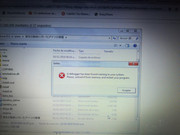
Hello sorry for the inconvenience you will see I have a problem with the game "Kanojo no Karada or Tsuita Aitsu no Kiss Ato ~" ... I completed the steps indicated in the installation tutorial ... but when starting kanojo_kiss.exe this window appears (you send picture) ... please can you help me with this problem
[url=https://postimg.cc/yWNh423G]" target="_blank" title="https://postimg.cc/yWNh423G">[url=https://postimg.cc/yWNh423G]">https://postimg.cc/yWNh423G">[url=https://postimg.cc/yWNh423G] [/url]" target="_blank" title="https://i.postimg.cc/yWNh423G/IMG-20191105-031454.jpg">[/url]">https://i.postimg.cc/yWNh423G/IMG-20191105-031454.jpg">[/url]

Hello igneel54,
I've installed the game again, and it works.
My basic setup:
- Windows 10 (tested with Windows 7 too)
- Japanese mode
https://www.h-suki.com/tutoriels/windows-jp.html" target="_blank" title="https://www.h-suki.com/tutoriels/windows-jp.html">https://www.h-suki.com/tutoriels/windows-jp.html">https://www.h-suki.com/tutoriels/windows-jp.html">https://www.h-suki.com/tutoriels/windows-jp.html
Did you copy/paste the files from the nodvd folder?
Do you have a security program that may block something? If yes, try to disable it to see if it helps.
I've installed the game again, and it works.
My basic setup:
- Windows 10 (tested with Windows 7 too)
- Japanese mode
Did you copy/paste the files from the nodvd folder?
Do you have a security program that may block something? If yes, try to disable it to see if it helps.